What Is the MegaPlus Game Lobby?
The MegaPlus Game Lobby is the central hub of the platform — a single, well-organised page where every game on the site is accessible, browsable, and launchable without needing to navigate between separate sections. Whether you want to spin slots, join a live Baccarat table, play fish shooting games, or try eBingo, you can find it all here without jumping through menus.
For Filipino players who prefer to browse before committing to a game, the Lobby is designed with that habit in mind. The layout groups games by category so you can quickly jump to what you're in the mood for. You can also filter by game provider, browse by popularity, or look up a specific title by name if you already know what you want. The interface works cleanly on both desktop browsers and mobile — no separate app download required to access the Lobby, though the MegaPlus app gives you the smoothest mobile experience.
All games in the MegaPlus Game Lobby use Philippine Peso (PHP) for bets and payouts. Your one account balance covers every game in the catalogue — you don't need separate wallets or accounts for different game types. This makes it straightforward to switch from slots to a live casino table and back without any extra steps.

Game Categories in the MegaPlus Lobby
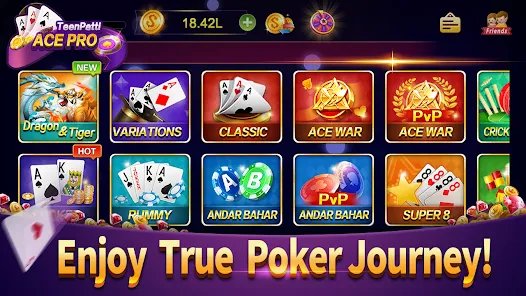
The Lobby is organised around clear game categories so you always know where to look. Here's what you'll find in each section:
Slots
Hundreds of titles · Multiple providersThe largest category in the Lobby. Video slots span every theme you can think of — classic fruit machines, mythology, adventure, holiday themes, Asian aesthetics popular with Filipino players, and licensed content. Jackpot slots sit in their own sub-section with running prize pools displayed on each game card.
Live Casino
Real dealers · HD streamingLive dealer games streamed in real time from professional studios. Baccarat, Blackjack, Roulette, Dragon Tiger, Sic Bo, and game-show format titles are available around the clock. Multiple table variants with different bet limits let you find the right stakes for your session.
Fish Games
Multiplayer · Touch controlsFish shooting games are among the most played titles in the MegaPlus Lobby by Filipino players. The category includes multiple titles with varying themes, bet ranges, and weapon systems. Multiplayer tables are always active, and boss events happen throughout the day across all fish game titles.
eBingo
Philippine favourite · Fast roundseBingo is a consistently popular category for Philippine players, and MegaPlus carries several eBingo variants. Rounds run frequently throughout the day, buy-in amounts vary by table, and the format is familiar to anyone who has played traditional bingo in community settings around Metro Manila or the provinces.
Table Games
RNG-based · Instant playVirtual table games — Baccarat, Blackjack, Roulette, Sic Bo, and video poker — powered by certified RNG engines rather than live dealers. These titles load instantly, have no waiting time between rounds, and suit players who prefer to set their own pace rather than follow a live dealer's schedule.
Hot & New
Recently added · Trending titlesA curated section showing the most recently added titles and the games with the highest player activity right now. If you're not sure what to play, this is a good place to start — it reflects what other MegaPlus players across the Philippines are currently playing the most.
Jackpot Games
Progressive prizes · PHP poolsJackpot games span multiple categories — slots, fish games, and eBingo all have jackpot variants in the MegaPlus Lobby. Progressive jackpot pools accumulate across all players on those titles simultaneously. Current jackpot amounts are displayed on each game's thumbnail in the Lobby.
My Favourites
Personalised · Quick accessOnce you're logged in, any game in the Lobby can be marked as a favourite with a single tap. Your favourites list appears at the top of the Lobby for quick access, so you don't have to search for the same titles every time you log in from Manila, Cebu, or wherever you're playing from that day.

Game Providers in the MegaPlus Lobby
The depth of the MegaPlus Game Lobby comes directly from the range of game providers whose content is available on the platform. Each provider brings its own visual style, mechanics, and specialisations — which is why the catalogue covers such a wide range of player preferences.
The MegaPlus Game Lobby can be filtered by provider — useful when you have a preferred studio and want to browse only their titles. The provider filter is available on both desktop and mobile through the Lobby's filter sidebar.
How to Navigate the MegaPlus Game Lobby
The Lobby is designed to be easy to use whether you're on a laptop in Quezon City or on your phone during your commute. Here's how to get around it:
Log In to Your MegaPlus Account
The full Lobby catalogue is accessible to registered players. If you don't have an account yet, the registration process takes a few minutes — you'll need a valid Philippine mobile number for OTP verification. Once logged in, your PHP balance is visible at the top of the Lobby at all times.
Choose a Category or Use the Search
Select a game category from the tab bar at the top of the Lobby — Slots, Live Casino, Fish Games, eBingo, Table Games, or Hot & New. Alternatively, use the search bar to look up a specific game title or provider name. The Lobby updates in real time as you type.
Apply Filters if Needed
Within each category, filters let you narrow the list further — by provider, by bet range (minimum stake), or by features like jackpot availability, bonus rounds, or multiplier type. On mobile, filters appear as a collapsible panel. On desktop, they're shown as a sidebar alongside the game grid.
Preview a Game Before Playing
Hovering over a game thumbnail (or long-pressing on mobile) shows a quick info overlay with the game's provider, category, minimum bet, and available features. For some titles, a Demo button lets you try the game with virtual credits before committing real PHP. Demo mode winnings cannot be withdrawn.
Launch the Game
Tap or click the game thumbnail to launch it. Games open directly in the browser window or within the MegaPlus app — no additional downloads or plugins required. Live casino games load into a dedicated table view with chat and betting controls; slots and fish games open in their own full-screen interface.
Mark Favourites for Quick Return
Found a slot or table you enjoy? Tap the bookmark icon on the game card to add it to your Favourites list. Your bookmarked games appear in a dedicated section at the top of the Lobby next time you log in — across any device you use with the same account.
The MegaPlus Game Lobby on mobile is faster and more responsive through the dedicated app compared to a mobile browser. Game thumbnails load quicker, touch scrolling is smoother, and the filter panel is better adapted to small screens. If you browse the Lobby frequently on your phone, installing the app makes the experience noticeably better. See the App page for how to install.
Features That Make the MegaPlus Lobby Stand Out
A game lobby sounds simple — it's just a list of games. But the details of how it's organised and what tools it provides make a real difference in how enjoyable the browsing and playing experience is. Here's what MegaPlus gets right:
Unified Catalogue with No Dead Ends
Every game on MegaPlus is in one place. You don't have to switch between a "sports section" and a "casino section" and a separate "fish games portal." One login, one balance, one Lobby — whether you're in Manila browsing on your lunch break or at home in Davao on the weekend.
Real-Time Search Across All Titles
The Lobby search bar queries the entire game catalogue as you type. Results show matching titles from all categories simultaneously — if you type "baccarat," you'll see both virtual table game results and live casino table options together, so you can pick the format that suits your preference.
Flexible Filters for Every Playing Style
Beyond category tabs, the Lobby offers filters by provider, minimum bet, volatility (for slots), and special features. Low-stakes players can filter for tables under a certain PHP minimum. High-variance slot fans can filter for high-volatility titles specifically. The filters work in combination, so you can narrow down precisely.
Recently Played for Fast Return Access
The Lobby automatically tracks the games you've played most recently and surfaces them in a "Recently Played" row at the top of the page when you're logged in. This is particularly useful if you play a regular rotation of three or four games — you can jump straight back into your session without browsing.
Consistent Experience Across Desktop and Mobile
The same Lobby you access from a laptop in your office is the same one you open on your phone. All categories, filters, and game titles are available on both. The layout adapts to screen size — on mobile, the category tabs scroll horizontally and game cards stack into a clean grid that works well with one-hand navigation.
PHP Balance Visible Throughout
Your Philippine Peso balance is displayed in the Lobby header at all times while you're browsing. You always know exactly how much you have available before launching any game — no surprises, no navigating away to check your wallet.
What to Expect from Each Game Category
Not sure which category to start with? Here's a quick overview comparing the main game types in the MegaPlus Lobby by key characteristics:
| Category | Pace | Mobile Friendly | Jackpot Available | Best For |
|---|---|---|---|---|
| Slots | Fast | Solo play, varied themes | ||
| Live Casino | Moderate | Social play, real dealers | ||
| Fish Games | Fast | Action fans, multiplayer | ||
| eBingo | Moderate | Community feel, casual play | ||
| Table Games | Self-paced | Strategy players, no wait time | ||
| Jackpot Games | Varies | Prize hunters, PHP pools |

Frequently Asked Questions – Game Lobby
Playing Smart in the Game Lobby
With so many games available in one place, it's easy to spend more time and money than you planned. The MegaPlus Game Lobby makes it convenient to switch between games, which can make sessions feel shorter than they are. Before you start browsing, decide on your session budget in PHP and set a time limit — and stick to both regardless of how a session goes.
MegaPlus is open to players aged 21 and above in the Philippines. Online gaming always carries financial risk, and no game in the Lobby guarantees any return. For self-exclusion options, deposit limits, session controls, and more information on managing your gaming habits, visit the Responsible Gaming page.